What is Privileged Access Management?
A vendor-neutral guide to PAM concepts, privileged account types, implementation stages and best practices.
Privileged Access Management (PAM) is the practice of controlling, monitoring and securing access to an organisation's most sensitive accounts, systems and data. It combines policy, process, governance and technology so elevated access is granted only when it is needed, only to the people or systems that require it, and always with visibility, approval and audit.
In practical terms, PAM helps an organisation discover every privileged account, bring those accounts under central control, reduce standing access, protect credentials, monitor privileged sessions and prove that high-risk access is being governed properly. It is the difference between hoping critical systems are protected and knowing who can access them, why they have access, and what they did with it.
This guide explains what privileged access is, why PAM matters, the types of accounts it protects, how modern PAM differs from traditional access control, and how PAM Best Practice connects the topic to practical guides, video training and the Periodic Table of PAM Security.
Browse the PAM guides library | Explore PAM video training | Discuss PAM support
Types of privileged accounts within a typical organisation
Privileged access is not limited to one administrator account. It exists across people, systems, applications, cloud services, databases, networks, automation tools and third-party support models. A strong PAM programme starts by discovering the full privileged footprint, including accounts that are easy to miss because they are embedded in scripts, pipelines, services or legacy platforms.
Administrator accounts
Used by IT, security and platform teams to configure systems, manage users and change critical settings. These accounts need strong controls because compromise can give an attacker broad control.
Root and superuser accounts
Found on Unix, Linux, database and appliance platforms. They often have unrestricted power and must be protected through vaulting, approval, monitoring and break-glass governance.
Service accounts
Used by applications, integrations and background services. They are frequently long-lived, over-permissioned and poorly documented, making them one of the most important areas for modern PAM.
Database privileged accounts
Used to administer databases, run maintenance tasks and access sensitive data stores. They require careful management because they may expose regulated or commercially sensitive information.
Cloud and DevOps privileges
Includes cloud IAM roles, managed identities, secrets, CI/CD credentials, Kubernetes permissions and automation tokens. These identities change quickly and need continuous discovery and governance.
Third-party and emergency access
Used by suppliers, support partners and internal teams during incidents. These accounts should be temporary, approved, monitored and reviewed to prevent uncontrolled standing access.
Privileged Access Management in practice
Controlling high-risk access across people, process and technology.
What does PAM do?
PAM gives organisations a controlled way to manage powerful access. Core capabilities include privileged account discovery, credential vaulting, password and secret rotation, approval workflows, just-in-time access, privileged session monitoring, audit reporting and policy enforcement. The goal is to reduce the number of people and systems with standing privileged access while improving visibility over the access that remains.
PAM is different from general Identity and Access Management. IAM usually manages broad user identity, authentication and entitlement processes. PAM is the specialised layer for high-risk access, including administrator rights, root access, service credentials, privileged cloud roles and access to critical applications or databases. Organisations need both, but PAM addresses the access that can cause the greatest damage if misused.
Why PAM matters
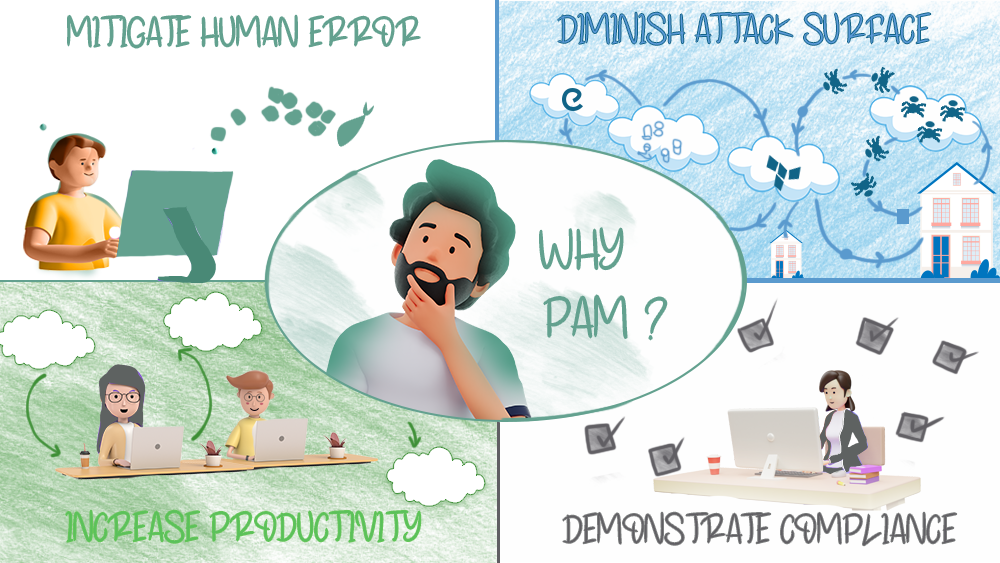
Privileged credentials are a common route into critical systems because they allow attackers, insiders or misconfigured automation to bypass normal business controls. Effective PAM reduces the attack surface, limits the blast radius of compromise, improves incident response and gives security teams evidence of who accessed what, when and why.
PAM also supports compliance and audit expectations across frameworks such as ISO 27001, PCI DSS, NIST, DORA, NIS2 and Cyber Essentials. Auditors increasingly expect organisations to demonstrate that privileged access is identified, justified, approved, monitored, reviewed and removed when no longer needed.
How to implement PAM
A practical PAM implementation usually moves through six stages: discover the privileged footprint, define ownership and risk, design the operating model, onboard accounts and assets, automate rotation and access workflows, then monitor, review and improve. Teams that skip discovery or governance often struggle later because they deploy tooling before understanding who owns access, what needs protection, and how access should be approved.
PAM Best Practice teaches PAM as a combination of knowledge, process and technology. Many organisations buy a tool but do not close the knowledge gap or process gap. Our approach connects vendor-neutral education, practical guides, video training and the Periodic Table of PAM Security so learners and teams can understand the full environment, not only the product features.
PAM Best Practice's approach: the Periodic Table of PAM Security
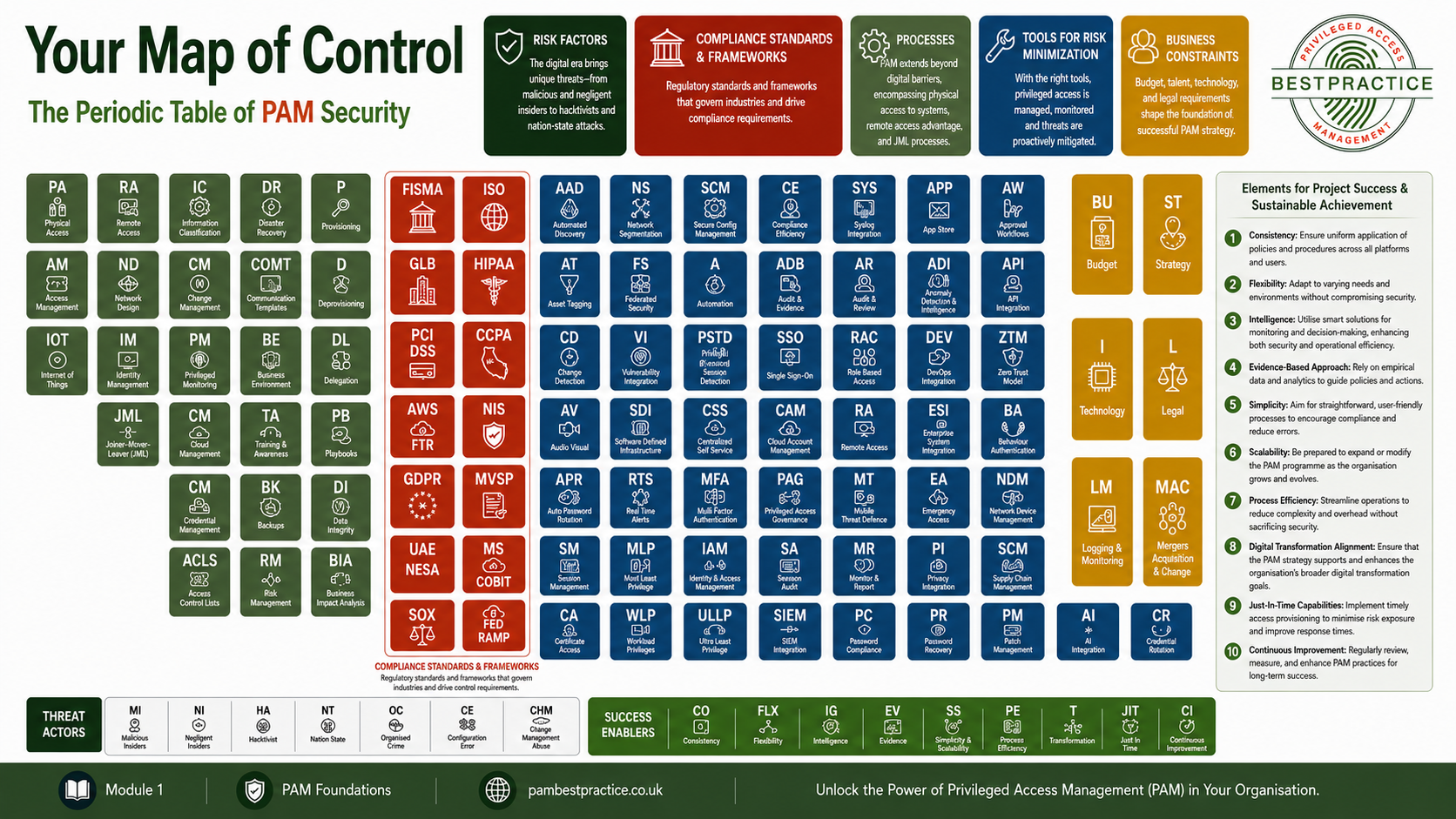
The Periodic Table of PAM Security captures the elements that influence PAM success across people, process and technology. It helps users see PAM as a wider operating model that includes discovery, onboarding, governance, training, compliance, monitoring, non-human identities, cloud access and continuous improvement.
Use the table with the PAM video training and PAM Guides Library. The table provides the map, the training explains the concepts, and the guides turn learning into practical action.
Frequently asked questions
What is the difference between PAM and IAM?
IAM manages identity and access across the wider workforce. PAM focuses specifically on high-risk privileged access such as administrator accounts, root accounts, service credentials and cloud roles. PAM usually sits alongside IAM as the stronger control layer for elevated access.
What are PAM best practices?
Common best practices include least privilege, privileged account discovery, credential vaulting, password and secret rotation, just-in-time access, approval workflows, session monitoring, regular access reviews and clear ownership for every privileged account.
What is just-in-time access?
Just-in-time access gives users temporary elevation only when they need it. It reduces standing privilege by making elevated access time-bound, approved and auditable rather than permanently assigned.
What does a PAM tool do?
A PAM tool can discover privileged accounts, store credentials in a vault, rotate passwords or secrets, broker privileged sessions, enforce approvals, record activity and produce audit evidence. PAM Best Practice teaches the vendor-neutral principles behind these capabilities.
Is PAM a compliance requirement?
PAM is not always named as a single requirement, but privileged access controls are expected across many security and regulatory frameworks. Organisations must usually prove that privileged access is controlled, monitored, reviewed and aligned with least privilege.
What to do next
If you are new to PAM, start with the definition, account types and video training. If you are implementing PAM, use the guides library for practical templates and checklists. If you are building a programme, connect the Periodic Table, training and community resources into a structured learning and improvement pathway.
Browse the PAM Guides Library | Explore PAM Academy training | Contact PAM Best Practice
The PAM Paradigm Shift: Standing Privilege to Just-In-Time Access
For decades, PAM was simple: grant standing privileges (admin rights that persist indefinitely), then audit who uses them. This model worked when infrastructure was stable and change was infrequent. That model is now broken.
Legacy PAM: Push Governance
Admin has standing privileges
System allows everything by default
Audit logs reviewed after the fact
Problems:
- One compromised admin = domain takeover
- Stale access never revoked
- Audit trails create mountains of noise
Status: Still common, increasingly risky
Modern PAM: Pull Governance (Just-In-Time)
Admin requests access for specific task
System grants access temporarily (hours)
Access revokes automatically when timer expires
Benefits:
- Compromised admin can’t use stale credentials
- Attack window is hours, not months
- Every access is intentional, not standing
Status: Now best practice, becoming mandatory
Why This Matters
Cloud infrastructure spins up and down in minutes. DevOps teams provision thousands of temporary roles. AI agents access systems autonomously. Standing privilege—the old model—is now the biggest risk vector in modern organisations.
Key Stat: Privileged accounts are involved in 75% of security breaches. Automating endpoint privilege management and moving to JIT access is becoming crucial.
Your Course Advantage: Most vendor training teaches legacy PAM models. PAM Best Practice teaches both—legacy and modern—so you can understand how to transition and why just-in-time access is now best practice.